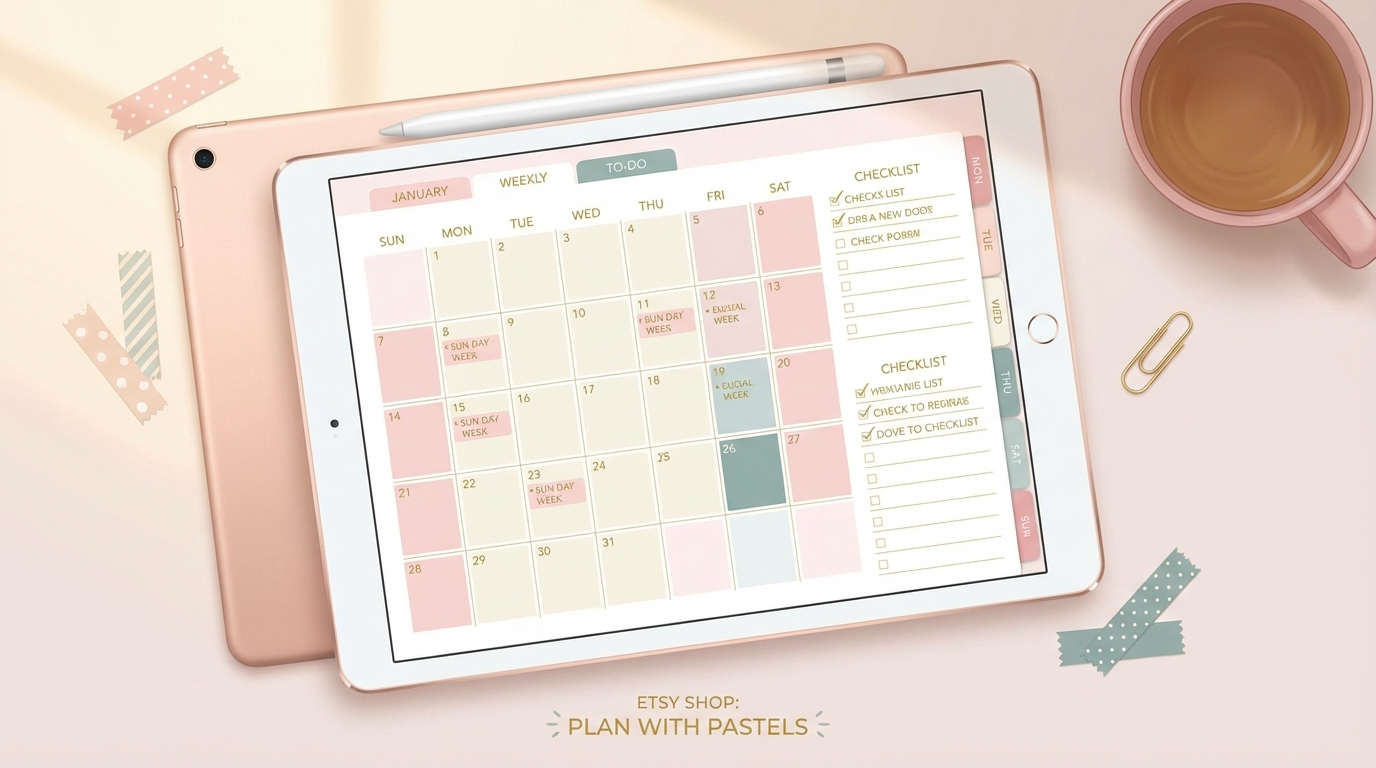
Digital planners are one of the most profitable digital products on Etsy in 2026. They cost nothing to deliver, can be sold unlimited times, and buyers pay $5-$30+ per download. Top sellers move 200-500 planners per month. Do the math and you've got a genuine passive income machine that keeps earning while you sleep.
The digital planner market grew alongside the rise of tablets and stylus note-taking. Apps like GoodNotes, Notability, and Samsung Notes turned tablets into digital paper, and millions of users want beautifully designed planners to use in those apps. That's where you come in as the designer.
📌 Key stat: "Digital planner" has over 250,000 monthly searches on Etsy. The category grew 45% year-over-year. Top digital planner shops earn $5,000-$20,000/month in pure profit with no physical inventory, no shipping, and near-zero marginal costs.
What Are Digital Planners?
Digital planners are interactive PDF files that users open on their iPad or tablet. They work exactly like a physical planner but with digital superpowers: hyperlinked tabs for instant navigation, unlimited pages, searchable text, and the ability to copy/paste content. Users write on them with a stylus just like a real planner.
The most popular types include:
- Dated annual planners: Full year calendar with monthly, weekly, and daily spreads. These are the bread-and-butter product. Updated yearly, they create recurring demand every Q4 and January.
- Undated planners: Same structure without specific dates. Buyers can start anytime, which means year-round sales. Lower urgency but longer sales runway.
- Niche planners: Budget planners, fitness trackers, meal planners, student planners, teacher planners, wedding planners. Niche planners command higher prices ($15-$30) because they solve specific problems.
- Planner bundles: Combine 3-5 planners into a bundle at a discount. Bundles increase average order value and are popular gift purchases.
How to Design Digital Planners (No Design Skills Required)
Tool 1: Canva (Easiest Entry Point)
Canva Pro ($13/month) has pre-made planner templates you can customize. Change colors, fonts, and layouts. Export as PDF. The learning curve is minimal. You can create a basic planner in 4-6 hours. The results are good enough to sell, especially if you have a strong aesthetic sense.
Limitation: Canva doesn't support hyperlinks within PDFs, so you'll need to add navigation tabs using a second tool like Keynote or Google Slides, then merge the files.
Tool 2: Keynote or PowerPoint
Many top planner designers use Keynote (Mac) or PowerPoint to create hyperlinked planners. You design each page as a slide, add hyperlinked navigation tabs, and export as PDF. This gives you full control over interactivity. Free YouTube tutorials walk through the entire process.
Tool 3: Affinity Publisher or InDesign
For professional-grade planners, Affinity Publisher ($70 one-time) or Adobe InDesign ($23/month) offer the most control. These tools handle complex layouts, master pages, and interactive PDFs natively. Steeper learning curve but the output quality is noticeably higher.
Tool 4: AI-Assisted Design
Use AI image generators to create unique cover art, decorative elements, and sticker assets for your planners. Claude and ChatGPT can help plan planner layouts, generate content ideas, and write product descriptions. AI won't design the full planner for you, but it dramatically speeds up the creative process.
How to Set Up Your Etsy Shop
- Create your Etsy account and open a shop. Choose a name that suggests planning, organization, or lifestyle. Simple and memorable beats clever.
- Create 5-10 listings before launching. A shop with one product looks abandoned. Having variety immediately builds credibility and improves Etsy search visibility.
- Write SEO-optimized titles. Include keywords buyers actually search: "2026 Digital Planner GoodNotes iPad Hyperlinked" or "Budget Planner Digital Undated Finance Tracker." Front-load the most important keywords.
- Write compelling descriptions. Lead with benefits, not features. "Finally stay on top of your schedule without carrying a physical planner" beats "This planner has 12 monthly pages." Include compatibility info (GoodNotes, Notability, Samsung Notes).
- Create stunning mockups. Show the planner on an iPad screen. Use lifestyle mockups (planner on a desk with coffee and plants). Mockups sell the dream, not just the product. Free mockup templates are available on Canva and Creative Market.
- Set up digital delivery. Upload the PDF as a digital download. Etsy handles delivery automatically. The buyer pays, downloads instantly, and you earn money without touching anything.
Pricing Strategy
- Basic undated planner: $5-$9. Entry-level product that gets reviews and builds shop credibility.
- Full dated annual planner: $10-$18. Your main revenue driver. Update yearly for recurring sales.
- Niche specialty planner: $12-$25. Budget planners, fitness trackers, teacher planners. Higher price because they solve specific problems.
- Planner bundle (3-5 planners): $20-$40. Excellent perceived value. Popular for gifts and "new year, new me" shoppers.
- Premium planner with extras: $25-$45. Includes digital stickers, cover options, bonus pages, tutorial video. The "deluxe" option for premium buyers.
📌 Pricing psychology: Always offer 3 tiers. A basic planner at $8, a standard at $15, and a premium bundle at $30. Most buyers pick the middle option. The bundle exists to make the standard look reasonable by comparison. This is anchoring, and it works.
Etsy SEO: Getting Found in Search
Your product won't sell if nobody finds it. Etsy SEO determines your visibility:
- Tags: Use all 13 tags Etsy allows. Include long-tail keywords: "digital planner 2026," "GoodNotes planner," "iPad planner hyperlinked," "digital budget planner," "undated digital planner." Research what top sellers use with tools like eRank or Marmalead.
- Title optimization: Front-load keywords. Etsy gives more weight to words at the beginning of titles. "2026 Digital Planner | GoodNotes iPad | Hyperlinked | Weekly Monthly Daily" is better than "Beautiful Planner for Your Organizing Needs."
- Category selection: Choose the most specific category available. Digital planners fall under "Craft Supplies & Tools > Templates" or "Paper & Party Supplies > Calendars & Planners."
- Reviews drive rankings. Your first 10 reviews are critical. Follow up with buyers (Etsy allows automated thank-you messages) asking them to leave a review if they're happy. A 5-star average with 50+ reviews dramatically boosts search ranking.
Marketing Beyond Etsy
Don't rely solely on Etsy search. Drive external traffic for faster growth:
- Pinterest: The #1 external traffic source for digital planners. Create pins showing your planner mockups and link directly to your Etsy listings. Pinterest users are planners and organizers by nature. The overlap with your target audience is perfect.
- TikTok: "Plan with me" and "digital planning" videos get millions of views. Show your planner in action on an iPad. Even simple screen recordings with a trending sound can go viral. One viral TikTok can drive 1,000+ sales.
- Instagram Reels: Similar content to TikTok. Use hashtags like #digitalplanner, #goodnotes, #digitalplanning, and #iPadplanner. Build a following of planning enthusiasts who become repeat customers.
- Email list: Offer a free mini planner as a lead magnet. Build an email list and announce new products, seasonal updates, and sales directly to interested buyers. Email converts 3-5x better than social media.
Scaling to Serious Income
- Month 1-2 ($50-$300): First sales. Getting reviews. Learning what designs and keywords work. Optimizing listings based on data.
- Month 3-6 ($300-$1,500): 10-30 sales/month. Expanding product line. Pinterest traffic starting to compound. Shop gaining Etsy search authority.
- Month 6-12 ($1,000-$5,000): 50-200 sales/month. Multiple planner designs. Bundle offerings. Seasonal updates (back-to-school, new year). Social media driving external traffic.
- Year 2+ ($3,000-$15,000): Established shop with 100+ reviews. Top search rankings for key terms. Multiple product categories. Maybe expanding to your own website for higher margins.
The beauty is that every planner you create keeps selling indefinitely. A planner designed in March 2026 will still sell in 2027, 2028, and beyond (for undated versions). Your catalog compounds. Year two revenue is dramatically higher than year one because you're selling everything you made last year PLUS new designs.
Mistakes to Avoid
- Copying top sellers exactly. Etsy cracks down on copyright infringement. Be inspired by trends but create original designs. Your unique style is what builds a loyal customer base.
- Ignoring mobile mockups. Most Etsy browsing happens on phones. If your listing photos don't look good on a small screen, you're invisible to most buyers.
- Not testing on actual apps. Download your planner on GoodNotes and Notability before selling. Test every hyperlink. Test on both iPad and Android tablets if possible. One broken link means a 1-star review.
- Pricing too low. Racing to the bottom on price attracts buyers who leave bad reviews over minor issues. Price for value. A $15 planner with great design sells better than a $3 planner that looks cheap.
- Only selling on Etsy. Etsy is a great starting point but takes 15-20% in fees. Once established, sell on your own website (Gumroad, Shopify, or WooCommerce) for higher margins. Keep Etsy for discovery and own the customer relationship through your website.
Digital planners are the definition of a digital product done right. You create once, sell forever, and deliver automatically. Combine that with Etsy's built-in traffic and you've got a side hustle that can genuinely replace a salary within 12-18 months of consistent effort.
Want more Etsy strategies? Check out our guide on the best Etsy digital downloads in 2026 or learn about selling Canva templates on Etsy.
Want weekly guides on building online income?
Real breakdowns, real numbers, zero fluff. Join 3,000+ readers.